A real pre-show
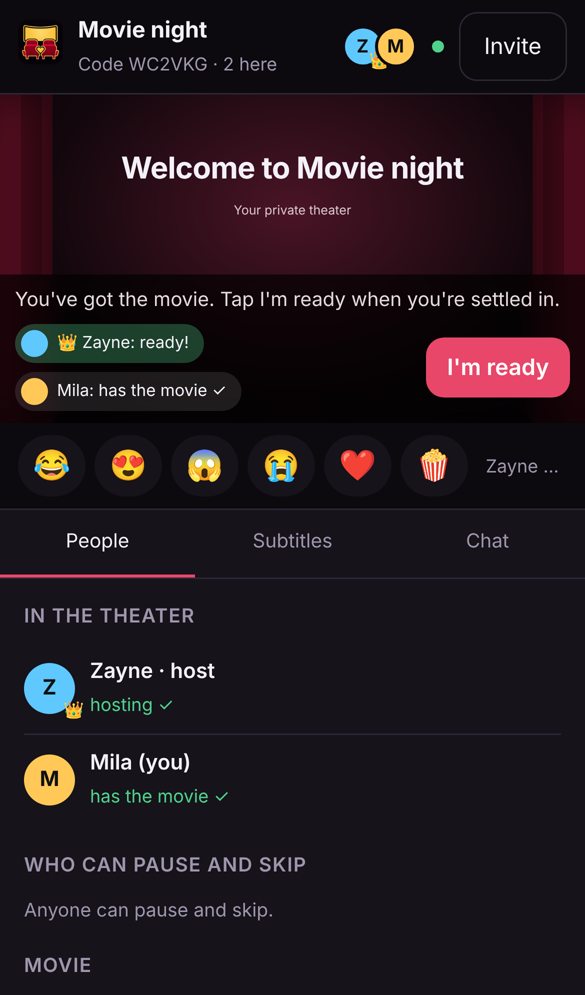
Curtains, welcome slides and “grab your popcorn” while the movie lands on everyone’s device. Add your own trailers and intros.
 Together Theater
Your own private theater. Pick a movie you own, it lands on everyone’s phone or laptop, and you press play together, perfectly in sync.
Free · No account needed · Works on iPhone, Android, Windows and Mac
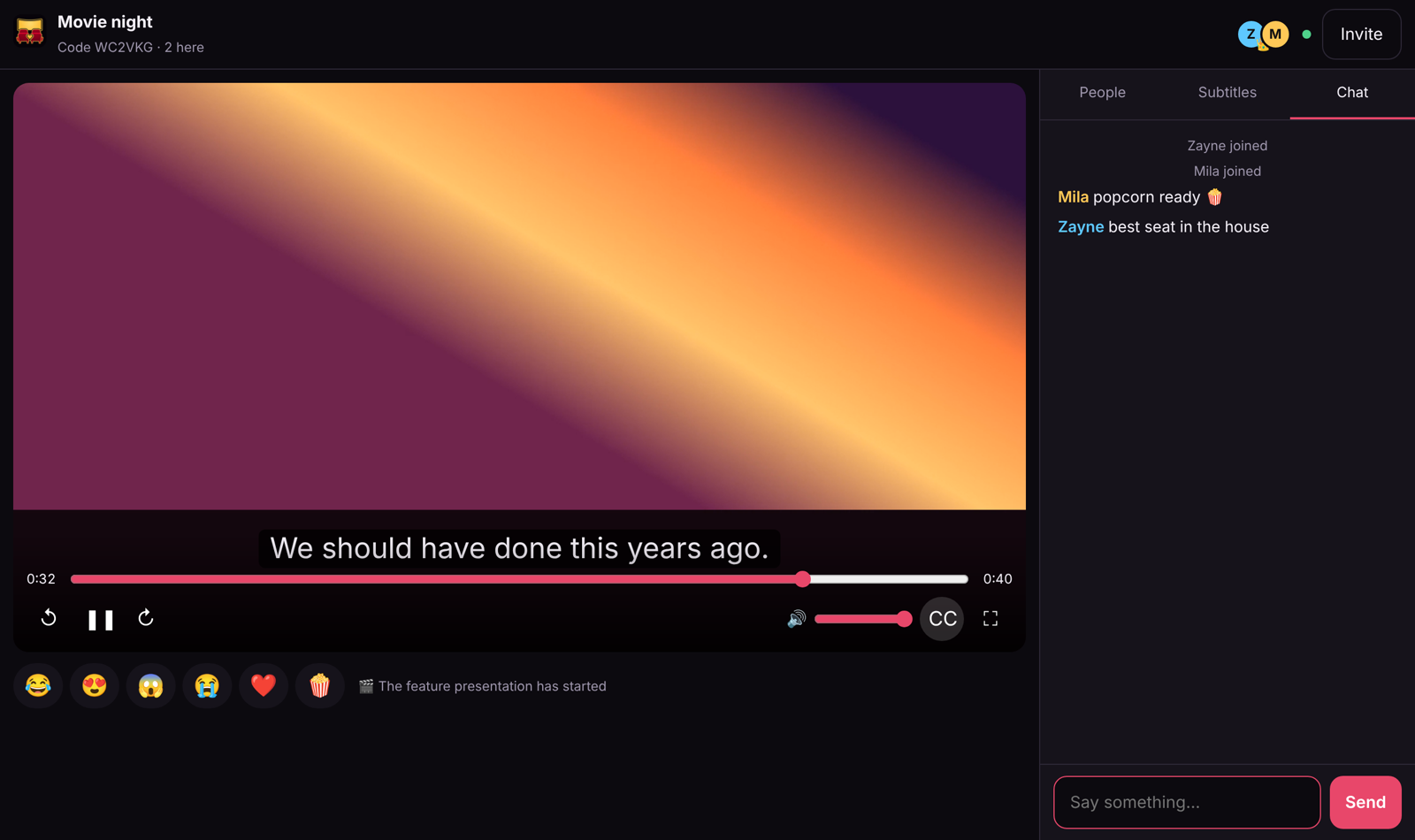
Type your name and tap Open my theater. Send the invite link to your person, or your whole group.
Choose a movie file on your phone or laptop. During the pre-show it copies straight to everyone’s device.
When everyone taps I’m ready, a countdown starts the movie for all of you at the same moment.
Now you can just text: “Together Theater tonight? 🍿”
Curtains, welcome slides and “grab your popcorn” while the movie lands on everyone’s device. Add your own trailers and intros.
Pause for snacks, skip back for the line you missed. It happens for everyone, instantly.
Let anyone pause, or hand the remote to one person. Driver fell asleep? The room can vote in a new one.
Each person loads their own subtitle file and picks the size. Watching in two languages just works.
Turn it up on your side without blasting anyone else.
Send floating emoji over the movie and chat without pausing.
Phone to phone, laptop to phone, laptop to laptop. Install it like an app on iPhone, Android, Windows and Mac.
Bathroom break? The host calls an intermission and everyone picks up exactly where you stopped.
Rooms have a passcode. Movies go device to device and never pass through our servers.
Open the app in Safari, tap Share, then Add to Home Screen.
Open it in Chrome and tap Install, or ⋮ → Install app.
Open it in Chrome or Edge and click the install icon in the address bar.
Movie files you own or have downloaded, like MP4. MP4 plays on every phone and laptop; other formats such as MKV may need converting first (the free app HandBrake does it).
No. Streaming services lock their videos to their own apps, which is also why screen sharing goes black. For those, use the service’s own watch-together feature if it has one.
Together Theater plays video files, not discs. Store-bought DVDs and Blu-rays are copy-protected, and the app doesn’t get around that.
No. Only the host picks a file. Everyone else gets a copy automatically during the pre-show. It’s for movie night only: guests’ copies are deleted when the host ends the night, or 24 hours after they were last in the room. If someone already has the same movie, they can use their own copy.
It depends on the host’s upload speed. A 2 GB movie over a typical 10 Mbps upload takes around 30 minutes, so open the room early and let it copy over dinner.
As many as you like. Two is perfect for date night; for a bigger group, give the copy a little extra time.
No. Together Theater is free.